How to Use a Scan Tool for Ford 6.0 Powerstroke: A Step-by-Step Guide
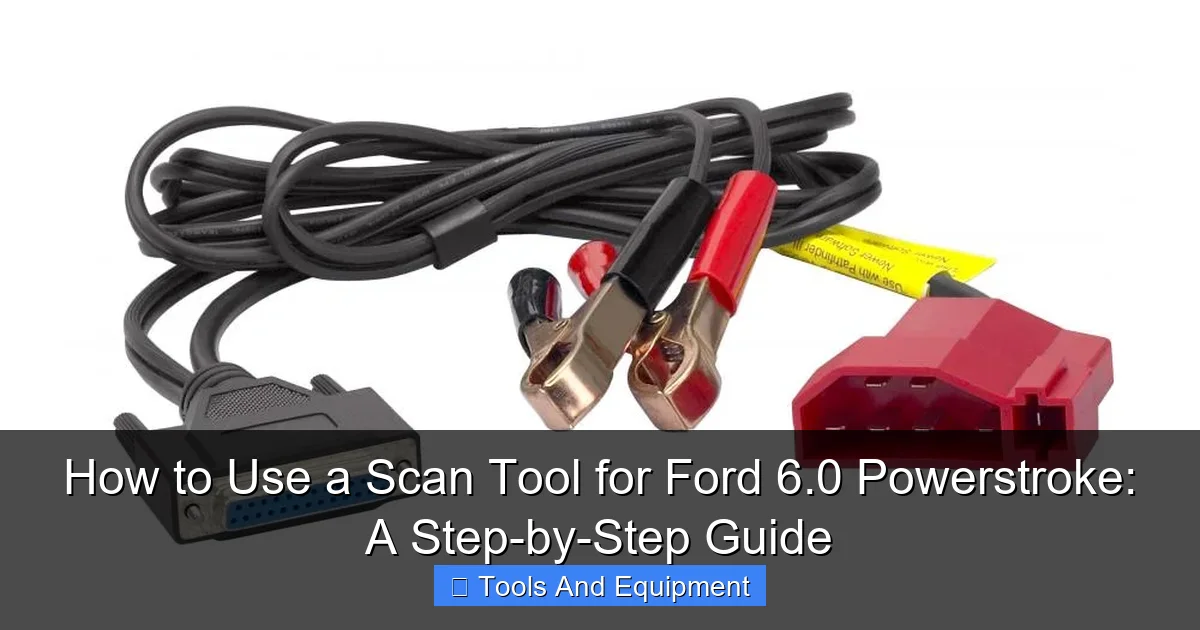
Featured image for this comprehensive guide about How to use a scan tool for Ford 6.0 Powerstroke
Image source: toolsource.com
The roar of a Ford 6.0 Powerstroke engine is music to many truck enthusiasts’ ears, representing raw power and capability. However, any owner knows that this beast, while legendary, can also be a bit of a mystery at times. Those dreaded check engine lights, rough idles, or a sudden loss of power can send shivers down even the most seasoned mechanic’s spine. While the internet is rife with forum discussions and anecdotal fixes, the truth is that properly diagnosing a 6.0 Powerstroke requires precision, data, and the right tools.
Enter the humble, yet incredibly powerful, scan tool. Far from being just a device to read generic trouble codes, a dedicated scan tool for Ford 6.0 Powerstroke is your ultimate detective kit. It’s the difference between blindly throwing parts at a problem and precisely identifying the root cause, saving you untold hours, frustration, and money. Whether you’re a professional technician or a DIY warrior determined to conquer the complexities of your 6.0, mastering your scan tool is paramount to keeping your truck running strong and preventing minor issues from escalating into major headaches.
This comprehensive guide will demystify the process, transforming your scan tool from an intimidating gadget into an indispensable ally. We’ll walk you through everything from selecting the right device to interpreting complex data, empowering you to confidently diagnose 6.0 Powerstroke issues and maintain your truck with expert precision. Get ready to unlock the secrets of your engine and take control of your diesel diagnostic journey!
Quick Answers to Common Questions
What kind of scan tool do I need for my Ford 6.0 Powerstroke?
You’ll definitely want an OBD-II compatible scan tool, and for truly effective diagnostics on your Ford 6.0 Powerstroke, one that offers enhanced Ford-specific data and capabilities is highly recommended.
Where do I connect the scan tool for my Ford 6.0 Powerstroke?
Look for the standard OBD-II diagnostic port; it’s typically located under the dashboard on the driver’s side of your Ford 6.0 Powerstroke, usually near the steering column.
What’s the very first thing I should do when using a scan tool for my Ford 6.0 Powerstroke?
After plugging in your scan tool, turn your ignition key to the “ON” position (without starting the engine). This powers up the truck’s computer so your scan tool for Ford 6.0 Powerstroke can begin communication.
Can a basic scan tool read all the codes on my Ford 6.0 Powerstroke?
While a basic OBD-II scan tool for Ford 6.0 Powerstroke can read generic P-codes, you’ll need a more advanced or Ford-specific tool to access proprietary manufacturer codes and critical live data unique to the Powerstroke.
What crucial data should I check first with my scan tool for a Ford 6.0 Powerstroke?
Start by monitoring FICM voltage, ICP (Injector Control Pressure), and IPR (Injection Pressure Regulator) duty cycle, as these are vital parameters often indicating common issues on a Ford 6.0 Powerstroke.
📋 Table of Contents
- Why a Scan Tool is Indispensable for Your 6.0 Powerstroke
- Choosing the Right Scan Tool for Your 6.0 Powerstroke
- Getting Started: Connecting Your Scan Tool and Initial Setup
- Decoding the Data: Key PIDs and What They Tell You About Your 6.0
- Step-by-Step Diagnostics: Common 6.0 Powerstroke Problems and Scan Tool Use
- Advanced Scan Tool Functions & Maintenance Tips
- Key 6.0 Powerstroke PIDs for Quick Reference
- Conclusion: Empowering Your 6.0 Powerstroke Ownership
Why a Scan Tool is Indispensable for Your 6.0 Powerstroke
Owning a Ford 6.0 Powerstroke is often a passion, but it also comes with a unique set of challenges. These engines, produced from 2003 to 2007, are known for their advanced electronic controls and sophisticated systems. Unlike older, simpler diesel engines, you can’t just listen for a knock or visually inspect a component to get the full picture. The electronic control unit (ECU) constantly monitors dozens of sensors, actuators, and subsystems, generating a vast amount of data that holds the key to its health.
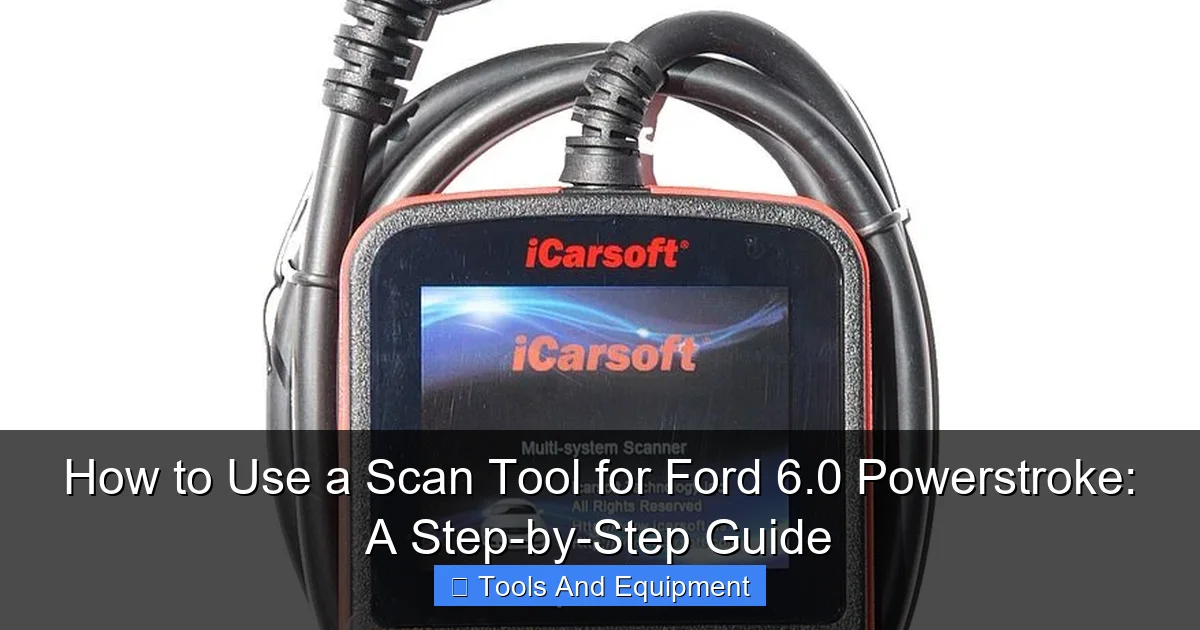
Learn more about How to use a scan tool for Ford 6.0 Powerstroke – How to Use a Scan Tool for Ford 6.0 Powerstroke: A Step-by-Step Guide
Image source: i7.photobucket.com
Without a proper Ford 6.0 Powerstroke diagnostic tool, you’re essentially flying blind. A simple “Check Engine” light could signify anything from a loose gas cap (not on a diesel, of course, but you get the idea!) to a critical failure in the fuel or oil pressure system. Guessing games lead to wasted time and money, often replacing perfectly good parts while the real problem persists. Statistics show that misdiagnosis is a leading cause of repair cost escalation in complex engines, with countless hours spent chasing symptoms rather than causes.
| Diagnostic Parameter | Typical/Normal Range (Operating Temp) | Diagnostic Implication (If Out of Range) |
|---|---|---|
| **ICP (Injector Control Pressure)** | ~500-750 psi (Idle); 3000-4000+ psi (WOT) | Low ICP at idle/crank indicates HPOP, standpipes, dummy plugs, or ICP sensor issues. |
| **IPR Duty Cycle (%)** | ~20-30% (Idle); up to 85% (WOT, but shouldn’t sustain high) | Consistently high % (e.g., >40% at idle with low ICP) suggests an oil leak in HPO system or weak HPOP. |
| **FICM_MPWR (Main Power)** | 47.5 – 48.5 Volts (Key On Engine Running) | Below 45V indicates failing FICM, leading to hard start, no start, or rough running. |
| **EOT/ECT Delta (Oil Temp vs. Coolant Temp)** | Less than 15°F (Non-Towing); Less than 20°F (Towing) | Greater than 15-20°F after full warmup indicates a failing oil cooler. |
| **EBP vs. MAP (Exhaust Back vs. Manifold Absolute Pressure)** | EBP ~ MAP (KOEO); EBP > MAP (KOER, 0-2 psi at idle) | Large difference at KOEO suggests EBP sensor/tube issue. High difference at KOER indicates turbo, VGT, or exhaust restriction. |
A high-quality scan tool Ford 6.0 Powerstroke allows you to:
- Read and Clear Diagnostic Trouble Codes (DTCs): Beyond just displaying a code, advanced tools often provide detailed descriptions, helping you understand the context of the fault.
- Monitor Live Data (PIDs): This is where the real magic happens. You can view dozens of critical engine parameters in real-time, such as oil pressure, fuel pressure, injector pulse width, FICM voltage, and much more. This dynamic data provides a snapshot of your engine’s performance under various conditions.
- Perform Bi-directional Controls: Some advanced scanners can actively command components (e.g., cycle the EGR valve, run an injector buzz test) to test their functionality without disassembly. This is invaluable for pinpointing faulty components.
- Run Self-Tests: Initiate manufacturer-specific diagnostic routines (KOEO – Key On Engine Off, KOER – Key On Engine Running) that thoroughly check various systems and sensors.
- Access Freeze Frame Data: When a DTC is set, the scan tool often records a “snapshot” of the engine’s operating conditions (RPM, load, temperature, etc.) at that exact moment. This data is crucial for understanding the circumstances leading to the fault.
In essence, a scan tool transforms your approach to maintenance and repair from reactive guesswork to proactive, data-driven solutions. It empowers you to understand your truck like never before, making it an absolutely essential piece of equipment for any 6.0 Powerstroke owner.
Choosing the Right Scan Tool for Your 6.0 Powerstroke
Not all scan tools are created equal, especially when dealing with the intricate electronics of a Ford 6.0 Powerstroke. While a basic OBD2 code reader might tell you there’s a problem, it won’t provide the in-depth data and bi-directional controls necessary to truly diagnose 6.0 Powerstroke issues effectively. Your choice of scan tool will significantly impact your diagnostic capabilities. Here’s what to consider:
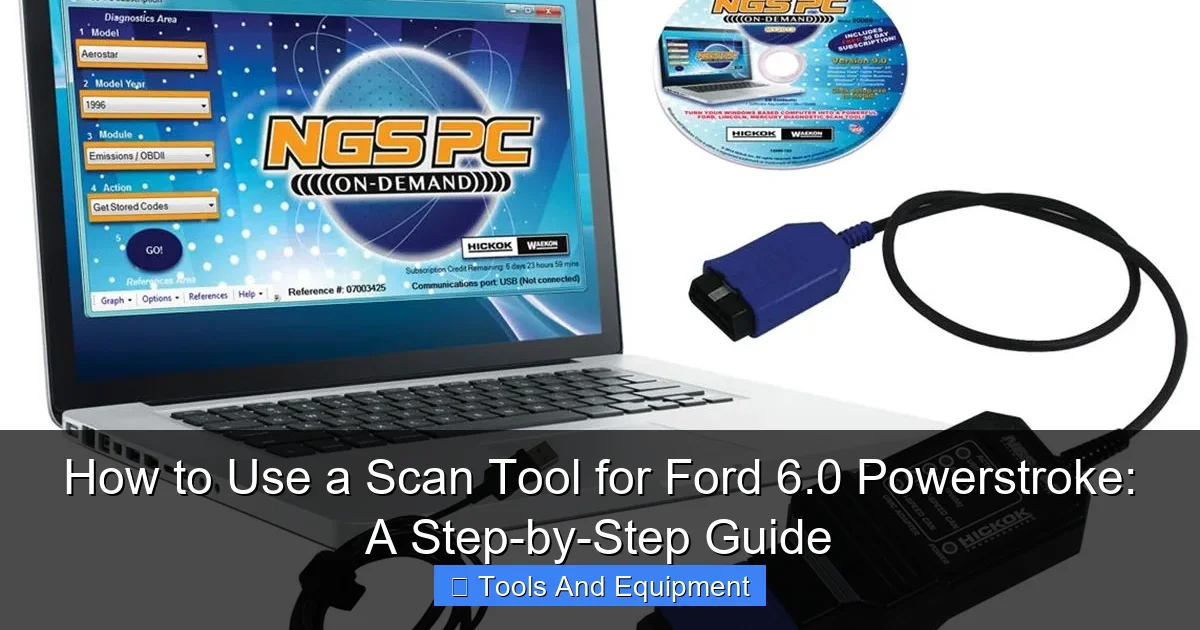
Learn more about How to use a scan tool for Ford 6.0 Powerstroke – How to Use a Scan Tool for Ford 6.0 Powerstroke: A Step-by-Step Guide
Image source: toolsource.com
Types of Scan Tools
- Basic OBD2 Code Readers: These are inexpensive and can read/clear generic P-codes and show some basic live data. They are generally insufficient for detailed 6.0 diagnostics. Think of them as a basic check engine light interpreter, not a diagnostic wizard.
- Enhanced OBD2 Scanners (Mid-Range): These offer more manufacturer-specific codes, a wider range of live data PIDs (Parameter Identifiers), and sometimes basic bi-directional controls or graphing capabilities. Many dedicated handheld diesel scanners fall into this category and are a good starting point for the serious DIYer.
- Professional/Advanced Diagnostic Scanners: These are comprehensive tools, often tablet-based, with extensive bi-directional controls, module coding capabilities, advanced graphing, and access to a vast database of manufacturer-specific information. Tools like the Ford IDS (Integrated Diagnostic System) are dealership-level, but aftermarket equivalents (e.g., Autel, Snap-on, Launch with Ford-specific software) offer similar functionality at a higher price point.
- PC/Laptop Based Software with Interface: These systems utilize a laptop running diagnostic software (like Forscan, AEScan/AutoEnginuity, or IDS clones) connected to the OBD2 port via a special interface cable (e.g., ELM327 for Forscan, specific VCI for others). This often provides the most robust functionality, flexibility, and logging capabilities, often at a more affordable price than high-end handhelds. Forscan, in particular, has become incredibly popular among Ford 6.0 Powerstroke problems enthusiasts due to its comprehensive features and relatively low cost.
Key Features to Look For
- Ford-Specific PIDs: Ensure the tool can read critical 6.0-specific parameters like FICM voltage (especially FICM_LPOWER), ICP sensor pressure, IPR valve duty cycle, EBP, VGT_DC, and more. Generic OBD2 tools often lack these.
- Live Data Graphing: Being able to see how parameters change over time (e.g., fuel pressure dropping under load, ICP fluctuating) is invaluable for intermittent issues.
- Bi-directional Controls: The ability to command components like injectors, the EGR valve, or the VGT solenoid can drastically speed up troubleshooting.
- KOEO/KOER Tests: Specific diagnostic routines designed by Ford to test systems when the engine is off or running.
- Data Logging: The ability to record live data sessions for later review or sharing with a professional.
- Software Updates: Diagnostic software evolves. Ensure the tool receives regular updates to maintain compatibility and functionality.
- User Interface: A clear, intuitive interface can make a huge difference in how quickly and effectively you can use the tool.
For most 6.0 Powerstroke owners, a mid-range dedicated diesel scanner or a laptop-based solution like Forscan with a good quality ELM327 adapter offers the best balance of capability and cost-effectiveness. Invest wisely; the right 6.0 Powerstroke diagnostic tool will pay for itself many times over.
Getting Started: Connecting Your Scan Tool and Initial Setup
You’ve chosen your weapon – now let’s get it connected and ready to diagnose 6.0 Powerstroke issues. The process is generally straightforward, but a few crucial steps ensure a smooth and accurate diagnostic session.
Step-by-Step Connection
- Locate the OBD2 Port: In your Ford 6.0 Powerstroke, the OBD2 diagnostic port is typically located under the dashboard on the driver’s side, often near the steering column or just below the fuse panel. It’s a trapezoidal 16-pin connector.
- Turn Off the Engine and Accessories: Ensure the engine is off and all unnecessary accessories (radio, lights, A/C) are powered down. This helps prevent electrical interference and ensures accurate initial readings.
- Connect the Scan Tool: Plug your scan tool’s cable firmly into the OBD2 port. Most tools will power on automatically once connected to the vehicle’s electrical system.
- Turn the Key to the “ON” Position (KOEO): Do NOT start the engine yet. Simply turn the key to the position where all dashboard lights illuminate, but the engine is not cranking. This is “Key On Engine Off” (KOEO) mode, which is essential for many diagnostic tests.
- Establish Communication: Your scan tool should now attempt to establish communication with the vehicle’s ECU. Follow the on-screen prompts. It will typically detect the vehicle’s VIN and prepare to display data. If using PC-based software like Forscan, you’ll select the correct interface and initiate connection.
Initial Setup and Navigation
Once connected, the specific menu options will vary depending on your scan tool Ford 6.0 Powerstroke model, but the general flow remains similar:
- Vehicle Information: Confirm the VIN and vehicle details.
- Diagnostic Trouble Codes (DTCs): Your first stop is usually to check for active and pending DTCs.
- Live Data Stream: This is where you access the PIDs. You’ll likely have options to select specific parameters to monitor. For a 6.0, start with key items like FICM voltage, ICP, IPR, fuel pressure, engine oil temperature (EOT), and engine coolant temperature (ECT).
- Special Functions/Tests: Look for menus that allow you to perform KOEO/KOER tests, injector buzz tests, EGR valve tests, or other bi-directional controls.
- Settings: Familiarize yourself with settings such as units of measurement (psi vs. kPa, Fahrenheit vs. Celsius), data logging options, and display preferences.
Pro Tip: Before diving into troubleshooting, it’s always a good practice to connect your 6.0 Powerstroke diagnostic tool periodically and simply monitor live data when your truck is running well. This helps you establish a baseline for “normal” values, making it much easier to spot anomalies when a problem arises.
Decoding the Data: Key PIDs and What They Tell You About Your 6.0
This is where the rubber meets the road. Your scan tool Ford 6.0 Powerstroke can display a bewildering array of numbers, but understanding what the most critical Parameter Identifiers (PIDs) mean is key to effectively diagnosing issues. For the 6.0 Powerstroke, several PIDs are absolutely essential to monitor.
Critical 6.0 Powerstroke PIDs Explained
- FICM_LPOWER (FICM Logic Power): This is arguably one of the most important PIDs for a 6.0. It should be a steady 48.0-48.5 volts. Any significant drop, especially under load or during cranking, indicates a failing FICM (Fuel Injection Control Module), a common culprit for starting and running issues.
- ICP (Injection Control Pressure): Measures the pressure in the high-pressure oil system. During cranking, it needs to reach at least 500-700 psi to fire the injectors. At idle, expect 500-800 psi. Under full load, it can climb to 3500-4000 psi. Low ICP is a major indicator of issues with the HPOP (High-Pressure Oil Pump), ICP sensor itself, or leaks in the system.
- IPR (Injection Pressure Regulator) Duty Cycle: This PID tells you how hard the IPR valve is working to maintain ICP. At idle, expect 20-30%. During cranking, it can go up to 85% to build pressure. If it’s consistently very high (e.g., 85%+) and ICP is low, it points to a leak or HPOP issue.
- EBP (Exhaust Back Pressure): Measures pressure in the exhaust manifold before the turbo. At idle, it should be very close to BARO (Barometric Pressure) +/- 0.5 psi. A significant difference (DELTA_P, EBP-MAP) indicates a clogged EGR cooler, restricted exhaust, or a malfunctioning EBP sensor.
- EGR_PCT (EGR Valve Position Percent): Shows the commanded position of the EGR valve. At idle, it should be 0% with the valve closed. Under certain driving conditions, it will open (e.g., 20-60%). Stuck open or closed can cause rough idle, power loss, and excessive smoke.
- VGT_DC (Variable Geometry Turbo Duty Cycle): Represents the commanded position of the turbocharger’s variable vanes. This controls boost. Expect fluctuations based on load and RPM. A stuck VGT solenoid or rusted turbo vanes can cause overboost, underboost, or slow turbo spool.
- DELTAP (EBP – MAP): Not a direct PID, but a calculated value (Exhaust Back Pressure minus Manifold Absolute Pressure). At idle, it should be near 0 psi. Under load, it will increase. A high positive value at idle or cruise suggests a restricted exhaust system (e.g., clogged EGR cooler, restricted exhaust).
- Fuel Pressure (FMP): While not directly measured by a dedicated sensor on the 6.0’s engine, many aftermarket solutions allow monitoring. The target should be 45-70 psi. Low fuel pressure can lead to injector issues and hard starting.
- EOT (Engine Oil Temperature) & ECT (Engine Coolant Temperature): These two should track each other closely once the engine is warm, typically within 15 degrees Fahrenheit. A consistent difference greater than that indicates an oil cooler issue, another common 6.0 Powerstroke problem.
- CKP/CMP Sync: This PID confirms that the crankshaft position sensor and camshaft position sensor are communicating correctly, which is vital for injector timing. “YES” or “SYNC” is good, “NO” or “UNSYNC” means a no-start condition.
Interpreting the Data
Monitoring these PIDs is about looking for anomalies. Do values consistently fall outside the normal range? Do they fluctuate wildly when they should be steady? Do they fail to respond to changes in engine load or RPM? Understanding these relationships is crucial for accurately using your 6.0 Powerstroke diagnostic tool.
For example, if your truck has a hard start hot issue, you might monitor ICP and IPR. If the ICP is low and the IPR is maxed out during cranking, it points to an HPOP or high-pressure oil leak. If FICM_LPOWER drops significantly during cranking, then your FICM is likely the culprit.
Step-by-Step Diagnostics: Common 6.0 Powerstroke Problems and Scan Tool Use
Now, let’s put your scan tool Ford 6.0 Powerstroke to work. Here are some common 6.0 Powerstroke problems and how to use your tool to pinpoint the cause.
1. Hard Start / No Start Conditions (Especially When Hot)
- Key PIDs to Monitor: ICP, IPR Duty Cycle, FICM_LPOWER, FICM_MPWR, FICM_VPWR, EOT, Battery Voltage, CKP/CMP Sync.
- Diagnostic Steps:
- KOEO: Check for any relevant DTCs. Note FICM voltages (should be 48V, 12V, Battery respectively).
- Cranking (KOER): Watch ICP. Does it reach at least 500 psi? If not, suspect HPOP, IPR valve, or high-pressure oil leaks (dummy plugs, standpipes, STC fitting).
- IPR Duty Cycle during cranking: If ICP is low but IPR is maxed out (85%), it strongly suggests a leak or weak HPOP. If IPR is low, the IPR valve itself or its wiring could be faulty.
- FICM Voltage Drop: Does FICM_LPOWER drop significantly below 45V while cranking? A failing FICM is a common cause of no-starts.
- EOT vs. ECT: If the engine starts cold but not hot, check the EOT. A faulty EOT sensor can prevent starting if the PCM thinks the engine is too hot.
- CKP/CMP Sync: Ensure this PID reads “YES” or “SYNC.” No sync means the PCM doesn’t know where the engine is in its cycle, preventing fuel delivery.
2. Low Power / Lack of Boost
- Key PIDs to Monitor: MAP (Manifold Absolute Pressure), EBP, VGT_DC, IPR Duty Cycle, RPM, Mass Air Flow (MAF).
- Diagnostic Steps:
- Check for DTCs: Look for codes related to turbocharger, EGR, or boost pressure.
- Monitor MAP & EBP: Compare these values, especially under acceleration. Low MAP (boost) despite high VGT_DC suggests a turbo issue (stuck vanes, faulty VGT solenoid) or a boost leak.
- VGT_DC: Does the duty cycle respond to accelerator pedal input? If it’s stuck at 15% (open) or 85% (closed), the VGT solenoid or turbo vanes may be faulty.
- DELTAP (EBP – MAP): Perform a WOT (Wide Open Throttle) test. If DELTAP is excessively high (e.g., >2-3 psi at idle, significantly higher under load), it could indicate a restricted exhaust (clogged EGR cooler, catalytic converter).
- Injector Performance: Use an injector buzz test (if your tool has bi-directional control) to check if all injectors are firing correctly.
3. Rough Idle / Engine Misfires
- Key PIDs to Monitor: FICM_LPOWER, FICM_MPWR, FICM_VPWR, ICP, IPR Duty Cycle, Cylinder Contribution/Balance Test (if available).
- Diagnostic Steps:
- DTCs: Misfire codes (P030x) are direct indicators.
- FICM Voltages: Any drop below 48V, especially a fluctuating one, can cause misfires.
- Injector Buzz Test: This bi-directional test is crucial. It cycles each injector electronically, allowing you to listen for distinct clicks. A missing or faint click indicates a dead or weak injector, or wiring issue.
- Cylinder Contribution Test: Many advanced scanners can perform this test, which measures how much each cylinder is contributing to engine power. A cylinder with low contribution points to a faulty injector, low compression, or FICM driver issue.
- ICP/IPR: Ensure steady pressure. Fluctuations can lead to inconsistent injector operation.
4. Oil Cooler Issues / High EOT
- Key PIDs to Monitor: EOT (Engine Oil Temperature), ECT (Engine Coolant Temperature).
- Diagnostic Steps:
- Monitor EOT and ECT: Warm the engine up to operating temperature. Drive for at least 20-30 minutes, ideally with varying load.
- Temperature Difference: The difference between EOT and ECT should ideally be less than 15 degrees Fahrenheit (8 degrees Celsius) at operating temperature under normal driving conditions. If the difference is consistently 15 degrees or more, your 6.0 Powerstroke oil cooler is likely clogged and needs replacement. This is a critical issue as it can lead to injector and HPOP failure.
Advanced Scan Tool Functions & Maintenance Tips
Beyond basic code reading and live data, your scan tool Ford 6.0 Powerstroke offers capabilities that can dramatically enhance your diagnostic prowess and help prevent future Ford 6.0 Powerstroke problems. Utilizing these advanced features and adopting good maintenance habits will maximize your investment.
Advanced Scan Tool Functions
- Bi-directional Controls: We’ve touched on injector buzz tests and EGR valve commands. Other useful controls include:
- VGT Solenoid Test: Command the turbo vanes to cycle, helping to free them up or diagnose a faulty solenoid.
- Fuel Pump Relay Control: Test the functionality of the fuel pump.
- Cylinder Cut-Out Test: Individually disable injectors to isolate a misfiring cylinder.
- FICM Sync Monitor: Some tools can actively monitor the synchronization between the FICM and PCM.
- Data Logging and Playback: For intermittent issues, recording live data during a problem event is invaluable. You can then review the data frame by frame, looking for spikes, drops, or out-of-range values that occurred precisely when the symptom appeared. Many PC-based solutions excel at this.
- Parameter Graphing: Viewing multiple PIDs simultaneously on a graph helps identify relationships. For instance, graphing ICP and IPR duty cycle together can clearly show an HPOP struggling to maintain pressure. Graphing EOT and ECT is essential for oil cooler diagnosis.
- Module Programming/Coding: While typically reserved for professional tools, some advanced DIY solutions (like Forscan with extended license) allow for module initialization, parameter changes, or even flashing updates. Proceed with extreme caution here, as incorrect programming can brick modules.
Essential 6.0 Powerstroke Maintenance Tips Aided by Your Scan Tool
Your scan tool isn’t just for fixing problems; it’s a powerful preventative maintenance tool:
- Regular FICM Voltage Checks: Periodically monitor your FICM_LPOWER. Early detection of a degrading FICM can save you from a roadside breakdown.
- Oil Cooler Health Monitoring: Make it a habit to check EOT vs. ECT differential every few months. Catching a clogged oil cooler early protects your HPOP and injectors.
- EGR Valve Health: Monitor EGR_PCT. If it’s stuck open or closed, you’ll see it. While an EGR delete is common, for those retaining it, regular cleaning and monitoring prevent issues.
- Fuel Pressure Verification: If you have an aftermarket fuel pressure gauge or can monitor it via your scan tool, ensure it’s consistently within the 45-70 psi range. Low fuel pressure is deadly for 6.0 injectors.
- Battery and Alternator Health: While not direct PIDs, ensure your truck’s battery voltage is consistent (12.6V KOEO, 13.5-14.5V KOER). Many 6.0 issues, especially FICM related, stem from poor charging or weak batteries. Your scan tool Ford 6.0 Powerstroke can often display system voltage.
By integrating your scan tool into your regular maintenance routine, you shift from a reactive repair strategy to a proactive prevention strategy, significantly extending the life and reliability of your beloved 6.0 Powerstroke.
Key 6.0 Powerstroke PIDs for Quick Reference
To assist you in quickly referencing critical data, here’s a table of essential PIDs for your Ford 6.0 Powerstroke diagnostic tool, along with their typical ranges and what they indicate.
| PID (Parameter Identifier) | Description | Typical Normal Range (Approx.) | What it Indicates |
|---|---|---|---|
| FICM_LPOWER | FICM Logic Power | 48.0 – 48.5 V | Critical for injector firing. Low voltage often points to FICM failure or charging issues. |
| ICP | Injection Control Pressure | Crank: 500+ psi, Idle: 500-800 psi, WOT: 3500-4000 psi | Measures HPOP system pressure. Low values can mean HPOP, IPR, or oil leak issues. |
| IPR_PCT | Injection Pressure Regulator Duty Cycle | Idle: 20-30%, Crank: up to 85% | How hard the IPR valve works. High % with low ICP means leak or weak HPOP. |
| EBP | Exhaust Back Pressure | Idle: Close to BARO (within 0.5 psi) | Pressure before turbo. High value compared to MAP (DELTAP) indicates exhaust restriction. |
| EGR_PCT | EGR Valve Position Percent | Idle: 0%, Cruise: Varies (e.g., 20-60%) | Shows EGR valve opening. Malfunction can cause rough idle, smoke, or power loss. |
| VGT_DC | Variable Geometry Turbo Duty Cycle | Varies with load/RPM (e.g., 15-85%) | Turbo vane position. Stuck solenoid or vanes can cause under/overboost. |
| DELTAP (EBP-MAP) | Exhaust Back Pressure minus Manifold Absolute Pressure | Idle: ~0 psi, WOT: 2-3+ psi (increases under load) | Indicates exhaust restriction (e.g., clogged EGR cooler). High at idle is a red flag. |
| FUEL_PRES | Fuel Pressure (if monitored) | 45 – 70 psi | Ensures proper fuel delivery to injectors. Low pressure damages injectors. |
| EOT | Engine Oil Temperature | 190-220°F (at operating temp) | Should track ECT closely. Excessive diff from ECT indicates oil cooler issue. |
| ECT | Engine Coolant Temperature | 190-220°F (at operating temp) | Should track EOT closely. Excessive diff from EOT indicates oil cooler issue. |
| CKP/CMP Sync | Crankshaft Position / Camshaft Position Synchronization | YES / SYNC | Required for engine to start/run. “NO” means a timing or sensor issue. |
Always refer to your specific service manual or trusted resources for precise OEM specifications, as these ranges can sometimes vary slightly by year and calibration. This table serves as a strong starting point for interpreting your 6.0 Powerstroke diagnostic tool data.
Conclusion: Empowering Your 6.0 Powerstroke Ownership
The Ford 6.0 Powerstroke, for all its complexities and infamous reputation, remains a formidable and beloved engine. What often separates a frustrated owner from a confident one is the ability to understand and interpret what the engine is trying to tell them. As this guide has shown, your scan tool Ford 6.0 Powerstroke is not just another gadget; it’s your direct line of communication to the heart of your truck.
By mastering the art of connecting, navigating, and, most importantly, decoding the critical PIDs, you transform yourself from a passive observer of potential problems into an active, informed diagnostician. You’ll move beyond guesswork, saving time, money, and preventing minor glitches from morphing into catastrophic failures. From addressing hard start conditions and deciphering FICM voltage readings to preemptively diagnosing oil cooler issues and understanding ICP sensor performance, the power to maintain and troubleshoot your 6.0 is now firmly in your hands.
Embrace the data, understand the signals, and confidently tackle any 6.0 Powerstroke problems that come your way. Your journey to empowered 6.0 Powerstroke ownership begins with the click of your scan tool. Happy diagnosing, and may your Powerstroke run strong for years to come!
🎥 Related Video: How to Use an OBD2 Scan Tool
📺 EasyAutoFix
OBD2 Scanner: https://amzn.to/4jdzrUc ▶︎ Check Out ALLDATA Manuals: …
Frequently Asked Questions
What type of scan tool is best for diagnosing a Ford 6.0 Powerstroke?
For a Ford 6.0 Powerstroke, a basic OBD-II scanner will read generic trouble codes, but an enhanced scan tool is highly recommended. Tools like FORScan, AutoEnginuity, or IDS (dealer-level) can access proprietary Ford parameters crucial for accurately diagnosing common 6.0 issues beyond generic codes.
Where do I connect the scan tool on my Ford 6.0 Powerstroke?
The OBD-II diagnostic port on your Ford 6.0 Powerstroke is typically located under the dashboard on the driver’s side. It’s a trapezoidal 16-pin connector designed for universal access. Simply plug your scan tool’s cable firmly into this port.
How do I interpret the diagnostic trouble codes (DTCs) displayed by the scan tool?
Once your scan tool reads the DTCs, it will display a code (e.g., P0299 for turbo underboost) and often a brief description. You should then research these specific codes online or in a service manual to understand their exact meaning and potential causes for your Ford 6.0 Powerstroke engine.
What specific Ford 6.0 Powerstroke parameters should I monitor with a scan tool for diagnosis?
When using a scan tool on a Ford 6.0 Powerstroke, key parameters to monitor include FICM voltage, ICP (Injector Control Pressure) and IPR (Injector Pressure Regulator) duty cycle, EOT/ECT (Engine Oil Temperature/Engine Coolant Temperature) delta, and EGR valve position. These values are critical for identifying issues with the high-pressure oil system, fuel injection, and cooling system that are common on 6.0L engines.
Can I clear diagnostic trouble codes (DTCs) using my scan tool, and when should I do this?
Yes, most scan tools have a function to clear DTCs from the vehicle’s computer. You should typically only clear codes after you have addressed the underlying issue that caused them, or if you are using it as a diagnostic step to see if a code immediately returns. Clearing codes without fixing the problem will only cause them to reappear.
My scan tool isn’t connecting to my Ford 6.0 Powerstroke. What should I check?
First, ensure the scan tool cable is fully seated in the OBD-II port and the vehicle’s ignition is in the “ON” position (engine does not need to be running). Check your vehicle’s fuse box for a blown fuse related to the cigarette lighter or auxiliary power, as the OBD-II port often shares power with these circuits. Also, try the scan tool on another vehicle if possible to rule out a tool malfunction.